DLS 26 Barcelona Kits: How to Find and Import Them
Posted by Daniel Smart MFG
Filed in Card Games 64 views
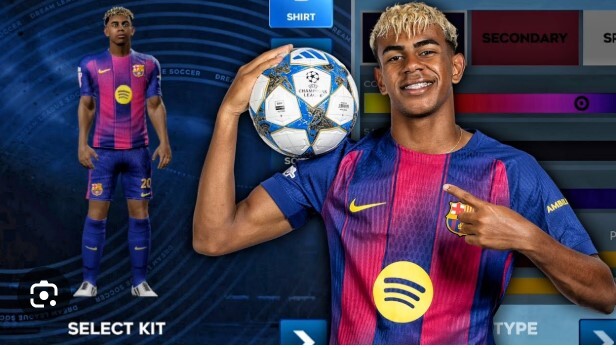
DLS 26 Barcelona kits are custom 512x512 PNG images you import into Dream League Soccer 2026 using a kit URL. To add them, open the game, go to your team customization menu, select "Edit Kits," paste a working URL, and confirm. You'll need separate links for the home, away, third, and goalkeeper kits.
Dream League Soccer 2026 lets you build your dream squad—and dressing them in the right colors is half the fun. If you're a Barcelona fan, you probably want the iconic blaugrana stripes on your players instead of a generic template. The good news? Importing custom Barcelona kits in DLS 26 is quick once you know the steps.
This guide walks you through everything you need: how the kit system works, where to find reliable Barcelona kit links, how to import them without errors, and what to do when a URL refuses to load. By the end, your team will look ready for a Camp Nou night.
What are DLS 26 kits and how do they work?
DLS kits are custom uniform designs stored as image files. Dream League Soccer reads these images from a direct URL and wraps them onto your players' 3D models inside the game.
Each kit must meet a few technical rules:
- Dimensions: 512 x 512 pixels
- Format: PNG (with a transparent or flat background)
- Hosting: The image must sit on a direct link that ends in .png
A full Barcelona set usually includes four pieces: a home kit, an away kit, a third kit, and a goalkeeper kit. Some packs also throw in a matching logo (also 512x512) so your club badge looks the part.
How do you import Barcelona kits in DLS 26?
The import process is the same for every kit. Follow these steps:
- Open Dream League Soccer 2026 and tap My Club, then Customise Team.
- Select Edit Kits.
- Choose the kit slot you want to change—home, away, third, or goalkeeper.
- Tap the Download icon (it looks like a small arrow or cloud).
- Paste the kit URL into the text box.
- Tap Confirm and wait a moment for the image to load.
If the link is valid, the new Barcelona design appears on your kit preview instantly. Repeat the process for each kit slot until your full set is complete.
Where can you find reliable Barcelona kit URLs?
Barcelona kit links are shared widely across DLS fan communities. The most common sources include:
- Kit-sharing websites that catalog teams by league and season
- YouTube tutorials, where creators often post URLs in the video description
- DLS fan forums and Reddit threads, where players swap working links
- Facebook and Discord groups dedicated to Dream League Soccer customization
When picking a source, look for links posted recently. Kits hosted on free image servers sometimes get taken down, so a fresh link from an active community is more likely to work than one from an old post.
Why won't my Barcelona kit URL load?
A broken kit link is the most common frustration in DLS customization. Here are the usual culprits and fixes:
- The image isn't 512x512. Resize it with a free online image editor before hosting.
- The URL doesn't end in .png. Make sure you copied the direct image link, not the webpage that displays it.
- The host server is down or deleted the file. Find an alternative link from another source.
- Your connection dropped mid-import. DLS needs internet access to fetch the image, so check your signal and try again.
If a link still fails after these checks, the fastest fix is simply grabbing a different URL for the same kit.
How do you make your own custom Barcelona kit?
Prefer a personal touch? You can design your own kit and host it yourself. Here's the short version:
- Download a blank 512x512 DLS kit template.
- Open it in an editor like Photoshop, GIMP, or a mobile app such as PixelLab.
- Add Barcelona's colors, stripes, sponsor logos, and crest.
- Export the finished design as a 512x512 PNG.
- Upload it to a free image host that gives you a direct .png link.
- Paste that link into DLS using the import steps above.
This route takes more effort, but it lets you recreate retro Barcelona jerseys, fantasy designs, or the latest leaked kit before anyone shares an official link.
Make your squad look the part
Custom kits turn a standard DLS team into a club you actually care about. With a working URL and the simple import steps above, you can have the full Barcelona set—home, away, third, and goalkeeper—on your players in minutes.
Start by grabbing fresh links from an active DLS community, double-check each image is a 512x512 PNG, and keep a backup URL handy in case one stops working. Once your kits are set, all that's left is to win some silverware at the Camp Nou.
Frequently asked questions
What size do DLS 26 Barcelona kits need to be?
Every DLS 26 kit must be exactly 512 x 512 pixels and saved as a PNG file. Images that don't match these specs will fail to import or look distorted on your players.
Are DLS 26 Barcelona kits free?
Yes. Kits shared by the DLS community are free to use. You only need a working direct image URL to import them—there's no cost involved.
Can I use last season's Barcelona kit in DLS 26?
You can import any Barcelona kit as long as the image meets the 512x512 PNG requirement and is hosted on a live URL. Older and retro designs work fine if the link is still active.
Why does my imported kit look blurry?
A blurry kit usually means the source image is low resolution or was stretched beyond 512x512. Use a sharp, correctly sized PNG to keep the design crisp in-game.
Do I need the official logo to match the kit?
No, the logo is optional. However, importing the matching 512x512 Barcelona crest alongside your kits gives your club a more authentic, complete look.