Unleashing Chaos and Creativity: A Deep Dive into Melon Playground
Posted by Aaron Cooper
Filed in Card Games 84 views
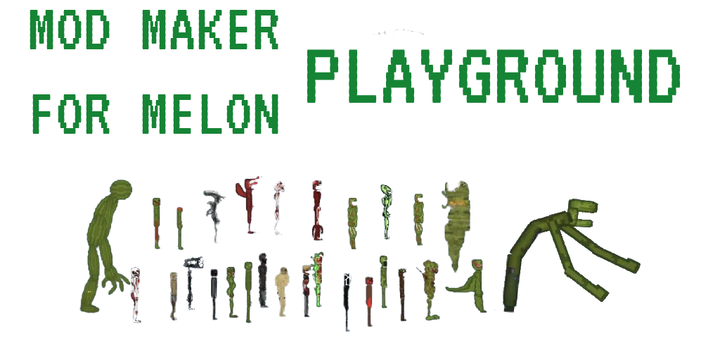
In the vast landscape of indie gaming, there is a specific sub-genre that prioritizes freedom over objectives and experimentation over high scores. These are physics sandboxes—digital playgrounds where the laws of motion are your only real rules. Among the most popular and accessible titles in this category is Melon Playground
If you’ve spent any time browsing app stores or browser-based gaming portals recently, you’ve likely seen the iconic, pixelated green fruit characters. At first glance, it might look like a simple, perhaps even chaotic, destruction simulator. But beneath its minimalist surface lies a surprisingly deep engine that allows for both mindless fun and complex engineering. Whether you are looking to blow off steam after a long day or build an intricate mechanical contraption, Melon Playground offers a blank canvas for your imagination.
What is Melon Playground?
At its core, Melon Playground is a 2D physics sandbox game. It draws heavy inspiration from classic "ragdoll" games, where the primary focus is observing how digital characters react to various forces, environments, and objects. The game gives you a literal empty stage and a massive toy box filled with characters (the Melons, Pumpkins, Corn, and Apples), weapons, vehicles, and building materials.
The beauty of the game lies in its lack of a "Game Over" screen. There are no missions to complete, no levels to unlock, and no bosses to defeat. Instead, the game asks a simple question: "What happens if I do this?"
The Two Ways to Play
One of the reasons Melon Playground has garnered such a massive following is that it caters to two very different styles of play. Depending on your mood, you can treat the game as a chaotic action simulator or a sophisticated engineering suite.
1. The Chaos Architect (Action & Destruction)
For many, the initial appeal of Melon Playground is the pure, unadulterated chaos. The game features an extensive arsenal ranging from simple knives and pistols to landmines, grenades, and even nuclear warheads. Because the characters—the "Melons"—are physics-based ragdolls, they react realistically to every impact.
You can set up elaborate action sequences: a high-speed car chase that ends in a fiery collision, a medieval battle with swords and shields, or a sci-fi skirmish involving laser rifles and gravity-defying boots. The "action" side of the game is about visual storytelling and seeing how much the physics engine can handle before the screen becomes a blur of pixels and explosions.
2. The Creative Engineer (Building & Logic)
Once the novelty of explosions wears off, most players discover the second, more rewarding way to play: construction. Melon Playground provides a suite of tools that allow you to connect objects using ropes, metal bars, springs, and motorized hinges.
You aren't just placing items; you are building systems. Players have used these tools to create working elevators, fully functional tanks with rotating turrets, and even complex "Rube Goldberg" machines where one falling brick triggers a chain reaction that spans the entire map. This side of the game requires patience and a basic understanding of how weight and force interact, turning the game into an accidental physics lesson.
How to Play: Getting Started
Starting your journey in Melon Playground is straightforward, but the UI (User Interface) can be a bit overwhelming at first due to the sheer number of icons. Here is a quick guide to getting your first scene up and running:
-
Select Your Canvas: When you start, you’ll choose from various maps. Some are wide-open fields, while others have water, steep hills, or zero-gravity environments.
-
Spawn Your Cast: On the left-hand sidebar, you’ll find the character tab. Click on a Melon and then click on the screen to spawn them. You can spawn as many as you like!
-
Equip and Interact: Switch to the weapons or items tab to give your Melons something to hold. You can drag items directly into their hands, and the game will "stick" them there.
-
The Context Menu: This is the most important part of the game. By double-tapping or right-clicking on any object or character, you open a menu that allows you to:
-
Resize the object.
-
Flip its direction.
-
Freeze it in mid-air (essential for building).
-
Activate specific features (like turning on a flashlight or firing a gun).
-
Time Control: At the top of the screen, you’ll find buttons to pause time or slow it down. Pausing is vital for building complex structures, allowing you to place every piece perfectly before letting gravity take over.
Tips for Mastering the Sandbox
If you want to move beyond just spawning items and start creating truly impressive scenes, keep these tips in mind:
-
Use the "Freeze" Tool Wisely: If you’re trying to build a house or a vehicle, freeze the main frame first. Once you’ve attached all the wheels, engines, and decorations, unfreeze the frame to see if your creation can stand or move on its own.
-
Layering Matters: You can change the "layer" of an object in the context menu. This is helpful if you want a character to sit inside a car rather than appearing to float in front of it.
-
Wiring and Logic: Experiment with the different types of connectors. A "Fixed Cable" acts like glue, while a "Hinge" allows for rotation. If you’re building a car, use the "Motorized Wheel" and connect it to a button or a toggle switch so you can control when it moves.
-
Saving Your Creations: Don't let your hard work go to waste! The game allows you to highlight a group of objects and "Save" them as a single template. You can then spawn your custom-built tank or robot in any map at any time.